In short
- TradingView's Bar Replay rewinds a chart so you can read price without seeing what came next. It's the best place to look at the past.
- A backtest also needs a record of every trade, fills you can trust and a way to review the results. Replay alone gives you none of the three.
- Wickform is built around those three. Use TradingView to chart and explore, and Wickform when you want evidence.
What bar replay gives you
Bar replay is simple and powerful: pick a point in the past, hide everything after it, and step forward one candle at a time. You make decisions with the same blind spot you'd have live. For learning to read price, few things beat it.
TradingView's version lives inside the charting platform most traders already use, with its indicators, drawing tools and scripts all available while you replay. That's its biggest strength: there's nothing new to learn.
How far back you can go depends on your plan and timeframe. TradingView keeps more daily history than intraday history, higher plans reach further back on intraday bars, and second-based and tick replay are limited to the top plans. TradingView's help page on Bar Replay data has the current limits.
What a backtest needs on top
Replaying a chart and testing a strategy feel similar, but they aren't the same job. A backtest is a claim: "this setup, traded this way, made this much." To trust that claim you need three things.
1. A record
Every trade needs to be saved with its entry, stop, target, every exit, the result in R and in dollars, and the fees. If the trades only live in your memory or a screenshot folder, you can't add them up honestly, and you'll remember the winners best.
2. Fills you can trust
Real orders slip. Stops fill at the gap price when the market jumps past them. And when one candle touches both your stop and your target, a chart alone can't tell you which came first. A backtest that ignores these will look better than the strategy really is. Wickform applies slippage in ticks, fills stops at gap prices, and when a bar touches both, it checks the 1-minute data to see which happened first.
3. A way to review
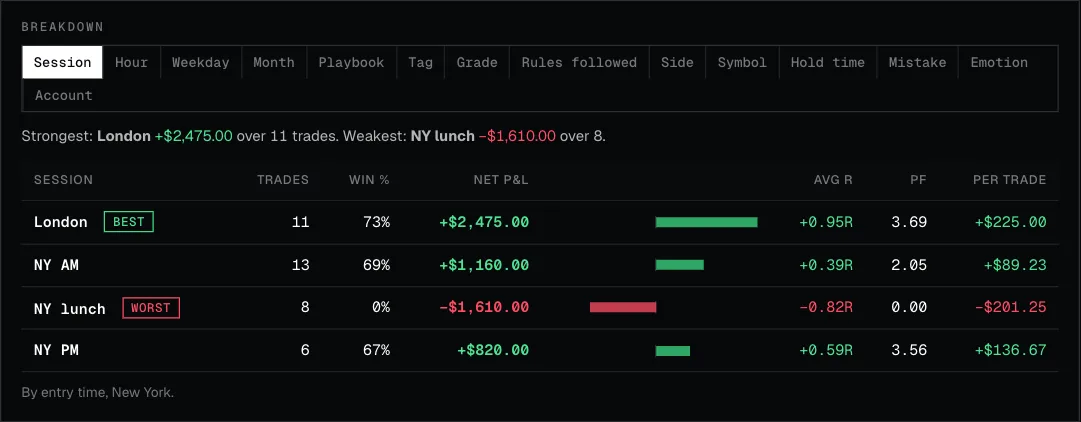
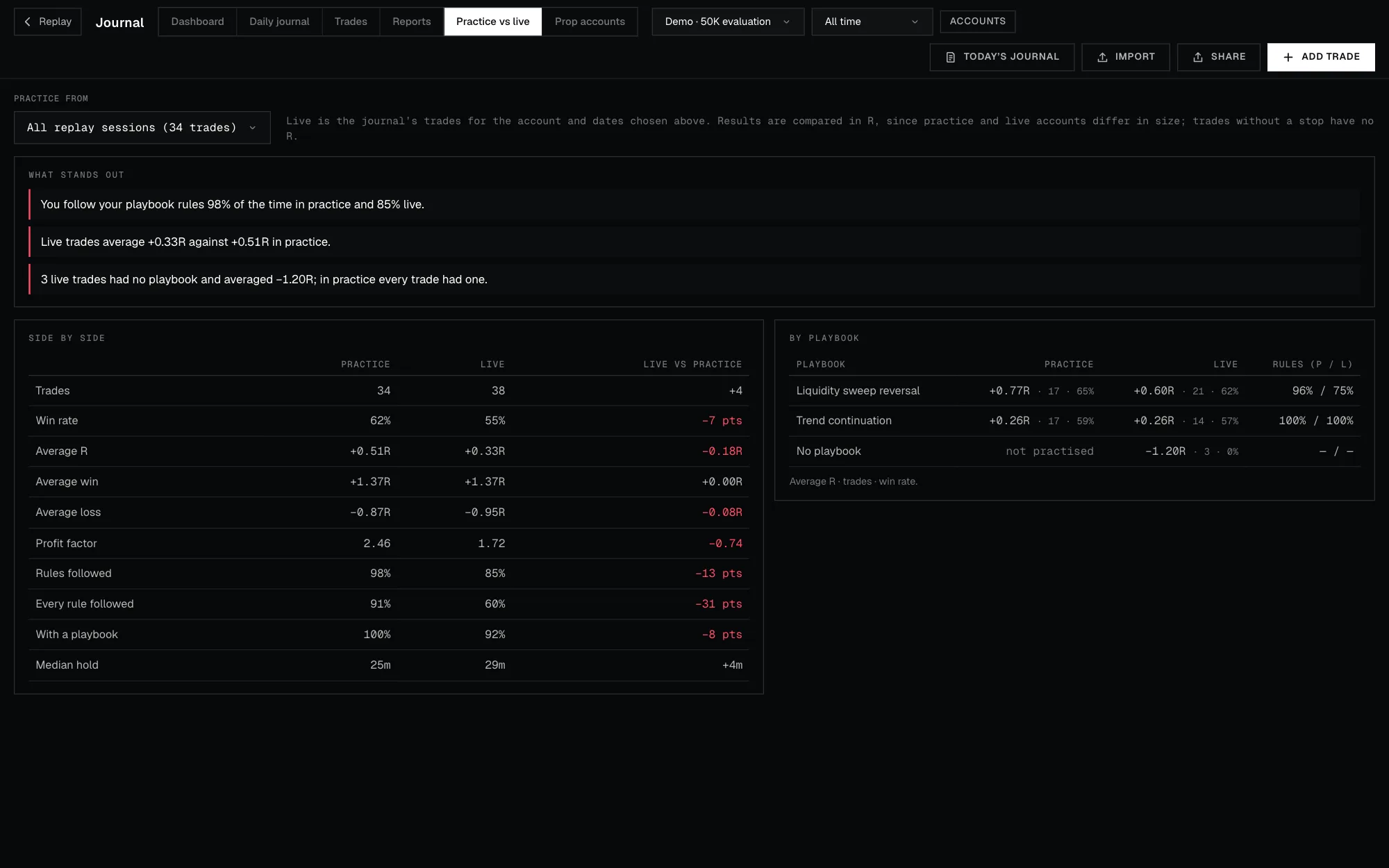
Fifty trades are just a list until you can ask questions of them: which session pays, which setup loses, how far did losers run in your favour before they turned? That's the job of a journal and its analytics.
Without these, a replay session is good practice. With them, it becomes evidence.
Side by side
TradingView details checked on 1 Nov 2026. Features and plans change, so check their site before you decide.
When TradingView is the better pick
- You trade stocks, options or markets Wickform doesn't cover yet.
- You want a huge indicator library and community scripts while you replay.
- You mostly want to study price action, not log and grade trades.
- You already chart there every day and just want to rewind now and then.
When Wickform fits
- You want a number you can trust before you risk money: win rate, average R and drawdown, from trades you actually took.
- You want each trade journaled automatically, with screenshots and the playbook it belonged to.
- You want to know where your edge is: which session, which hour, which setup.
- You're practising for a prop-firm challenge and want its rules enforced while you trade.
Using both
Plenty of traders keep TradingView for live charting and idea hunting, then move a setup into Wickform once it's worth testing properly. Sketch the idea where you chart; prove it where every trade is recorded and reviewed.
Key takeaways
- Bar replay hides the future. That's necessary for a backtest, but not enough.
- A backtest also needs a saved record, realistic fills and a review loop.
- TradingView is the better chart. Wickform is the better test bench.
FAQ
Can I just keep a spreadsheet next to TradingView's replay?
You can, and many traders start that way. It works until you want screenshots, fills that account for slippage, or breakdowns by session and setup. Then the spreadsheet becomes a second job.
Does Wickform have indicators?
Yes: EMA, SMA, VWAP, Bollinger Bands and RSI, plus drawing tools, higher-timeframe candles and key levels that draw themselves. It has fewer indicators than TradingView, on purpose: it’s a test bench, not a charting suite.
Which markets can I replay?
Any market you have bars for. You import a CSV of 1-minute or larger bars from a provider you choose (Databento, TradingView, Dukascopy and others), and it stays in your browser; Wickform doesn't sell market data. There's also a demo market of made-up bars to try it first.