Practise like it counts. Before it does.
Replay any market bar by bar with the future hidden, take prop evaluations you can actually fail, and drill a blind session a day. Bring your own data: import the bars you already have.
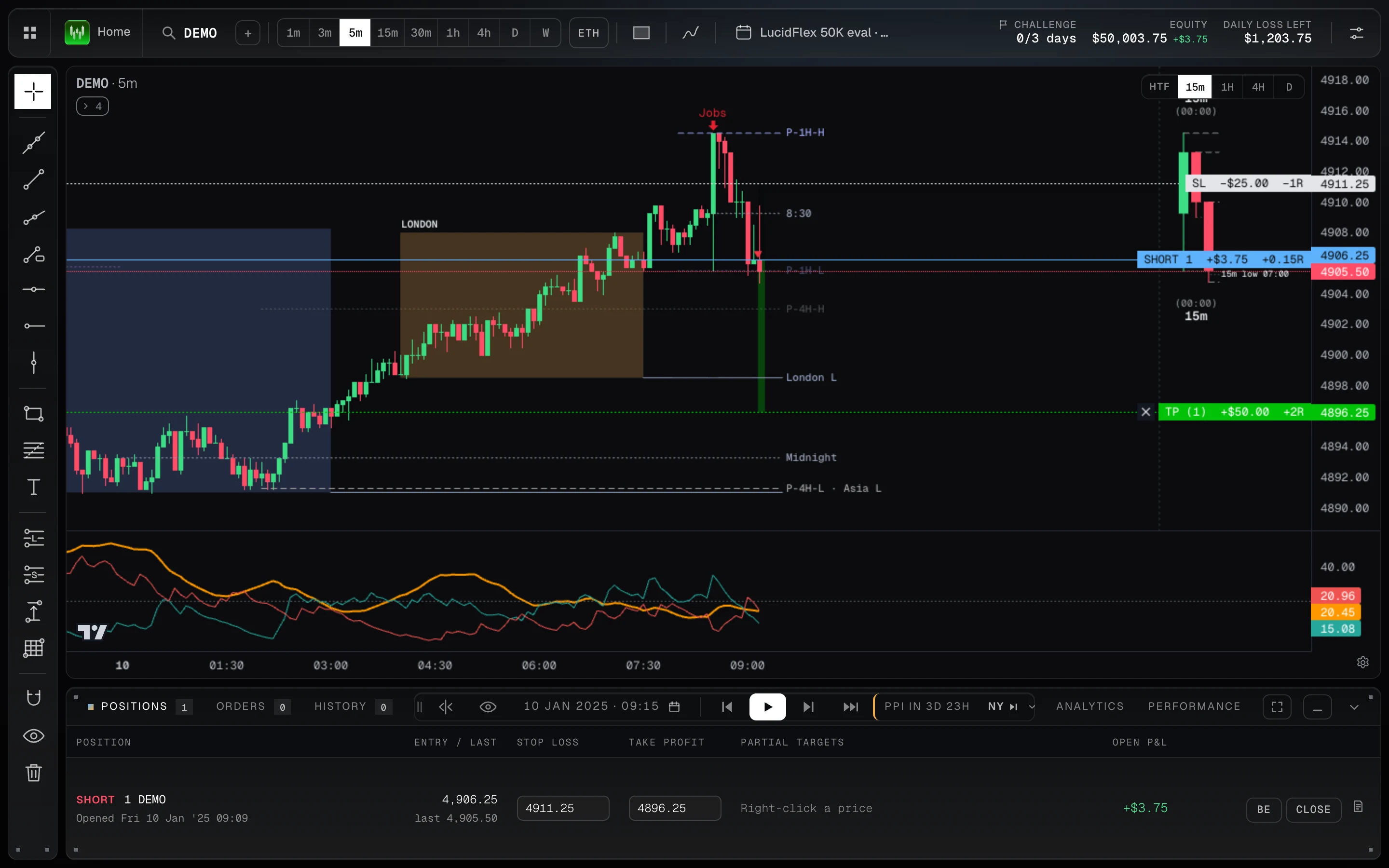
Wickform’s backtesting is bar replay in your browser. Import CSV bars for any market, hide the future and trade it bar by bar, with stops, targets, partial exits and trailing stops. Challenge mode replays a prop evaluation under its rules, where a breach fails the account, and a blind drill gives you one random day with the date hidden.
- 4ways to practise
- 36stop and target combinations tested
- 8charts side by side
Trade it bar by bar, with the future hidden.
Pick a market and dates, write down the strategy, and replay at your own pace. You see what you would have seen at that bar, and nothing after it.
Manage trades as you would live
- Long and short positions on the chart
- Partial exits and breakeven
- Trailing stops
- Buy or sell at market from the keyboard
Levels and higher timeframes as they form
- Asia and London sessions
- Previous day, week and hour levels
- Higher-timeframe candles beside the chart
- Scheduled news on the chart
Up to 8 charts side by side
Watch several timeframes or markets at once, all stepping forward together.
Real challenges, before you go live.
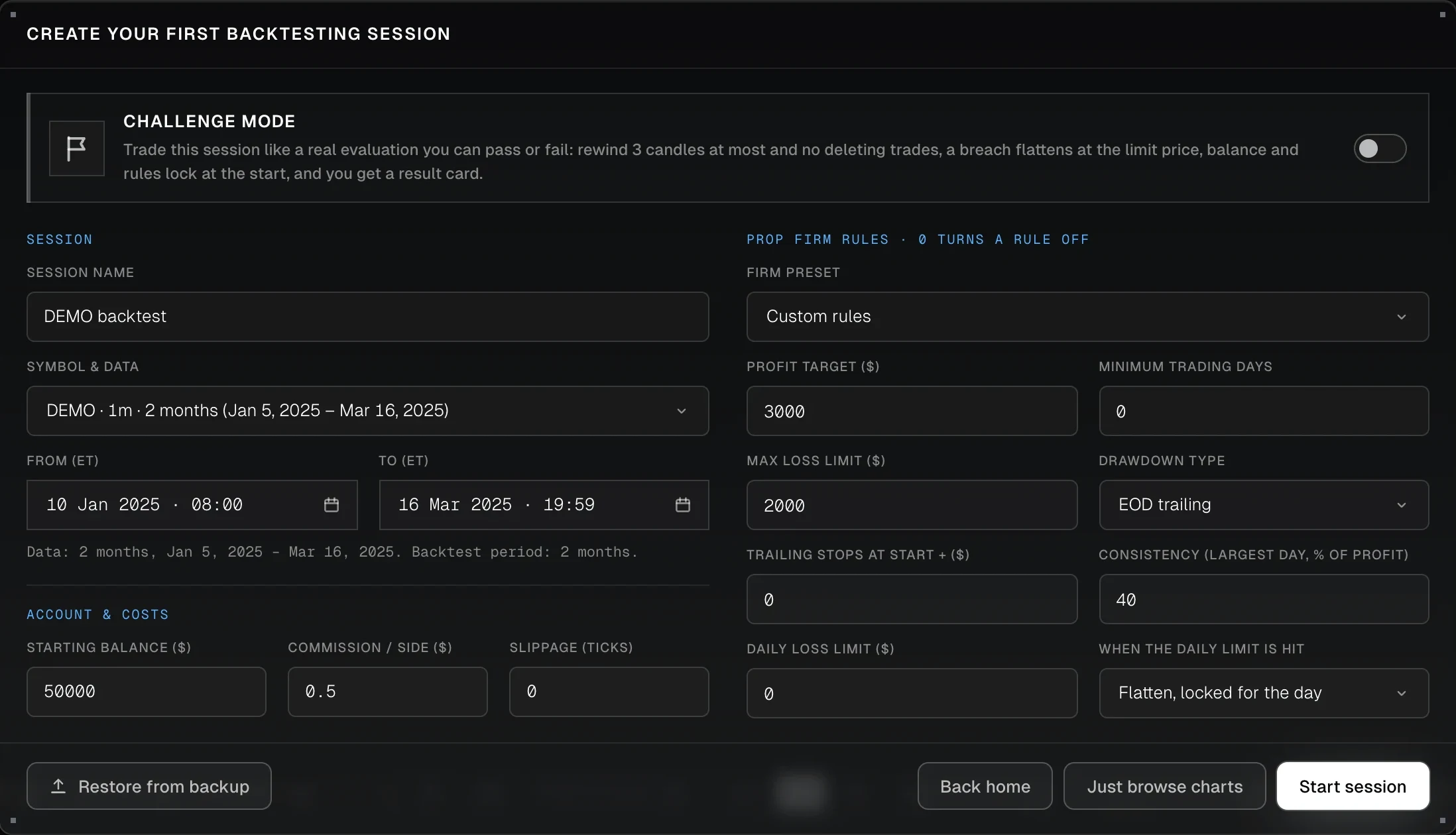
Take a prop evaluation on replay under its rules. You can pass it or fail it, and you can’t undo your way out.
An evaluation you can pass or fail
Turn on challenge mode: rewind 3 candles at most, no deleting trades, a breach flattens at the limit price, balance and rules lock at the start, and you get a result card.
Start where traders get stuck
$400 from the max loss on a 25K account, $600 on a 50K. Pass anyway, or get paid anyway.
From one day to a funded account
Any market, on bars you bring.
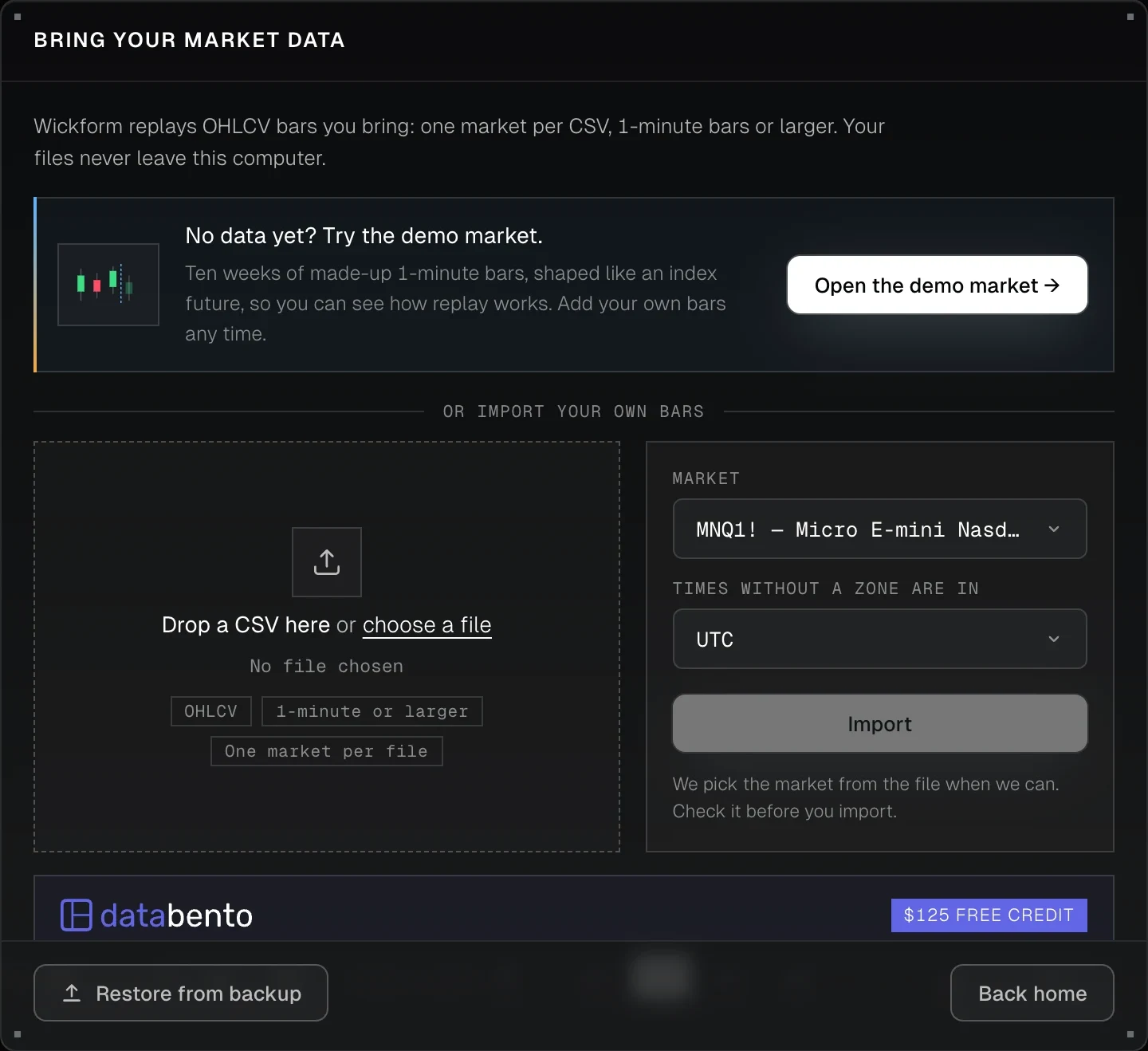
Futures, forex, crypto or stocks: import CSV bars from the provider you already use. Or open the demo market to try replay first.
Your files never leave your computer
One market per CSV, 1-minute bars or larger. Wickform turns them into chunks inside your browser and replays them there.
Review every session like a funded account.
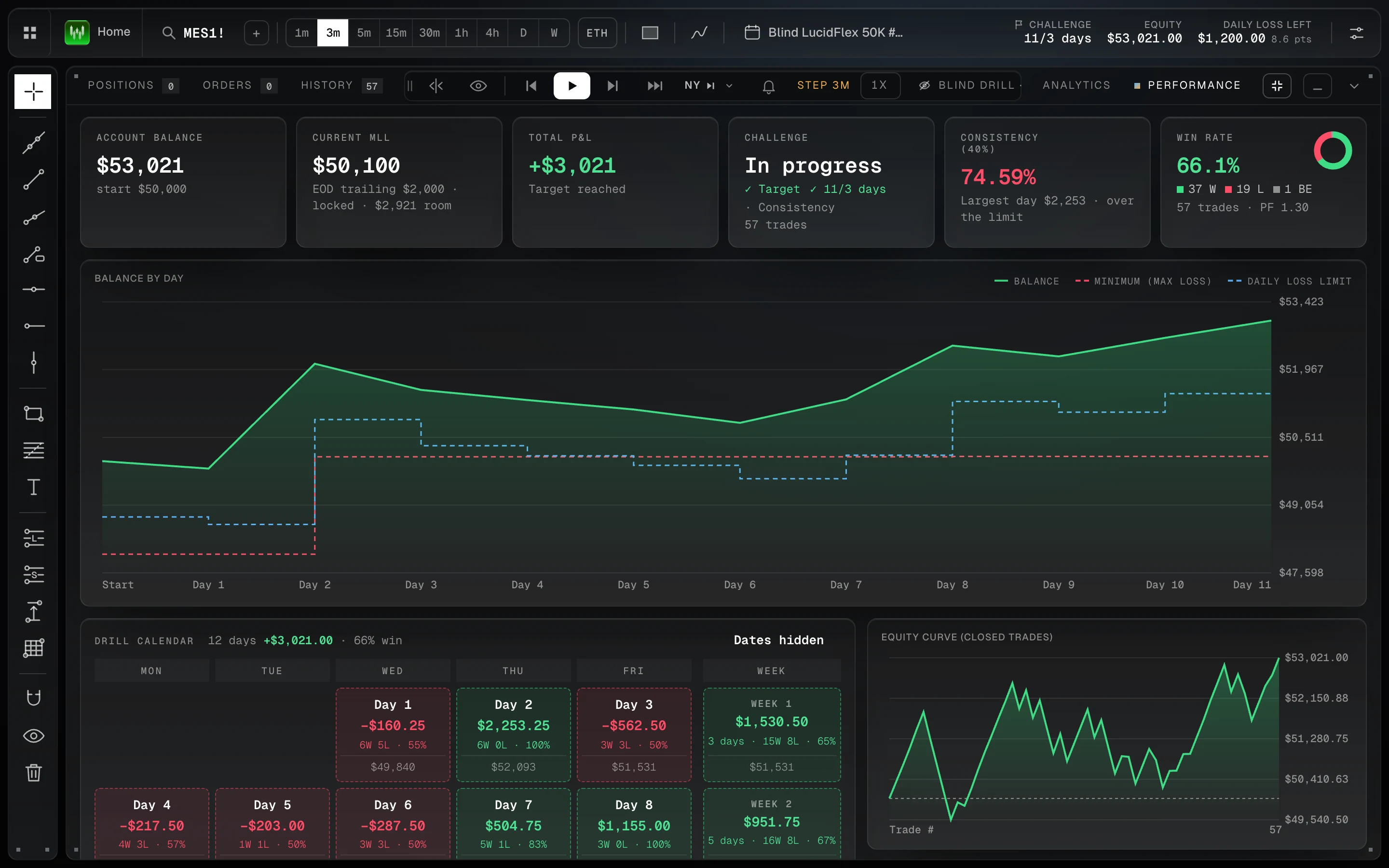
Each backtesting session keeps its own performance, analytics and trade history, on the bars you replayed. These are a real 12-day blind LucidFlex 50K combine.
Balance, max loss and every drill day
The account balance against the trailing max loss and the daily limit, the challenge’s progress and consistency, a calendar of each day with the dates hidden, and the equity curve of closed trades.
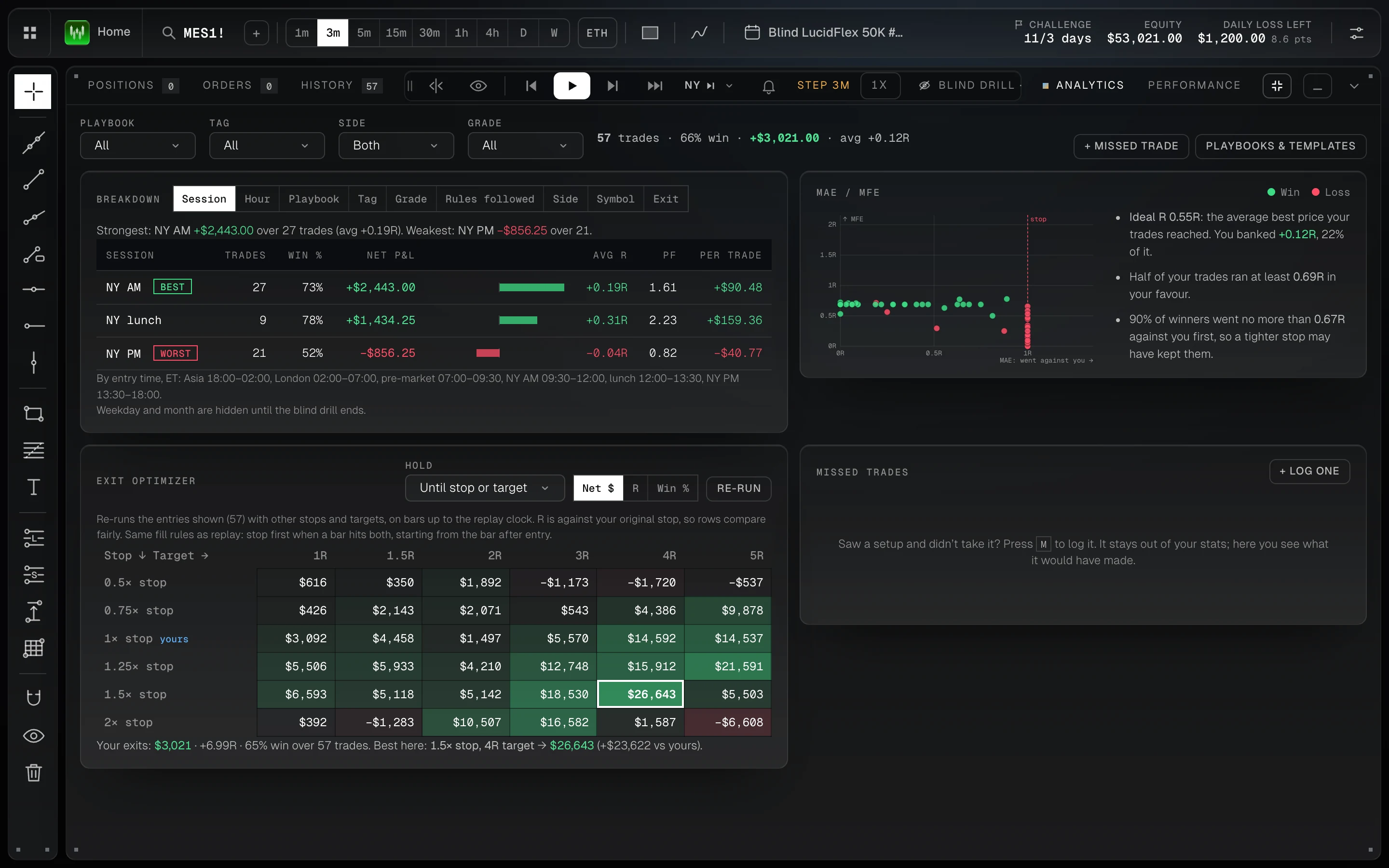
Where the session made and lost money
Results by session, hour, playbook, grade and exit; an MAE / MFE map; and the exit optimizer, which replays your entries with 36 stop and target combinations.
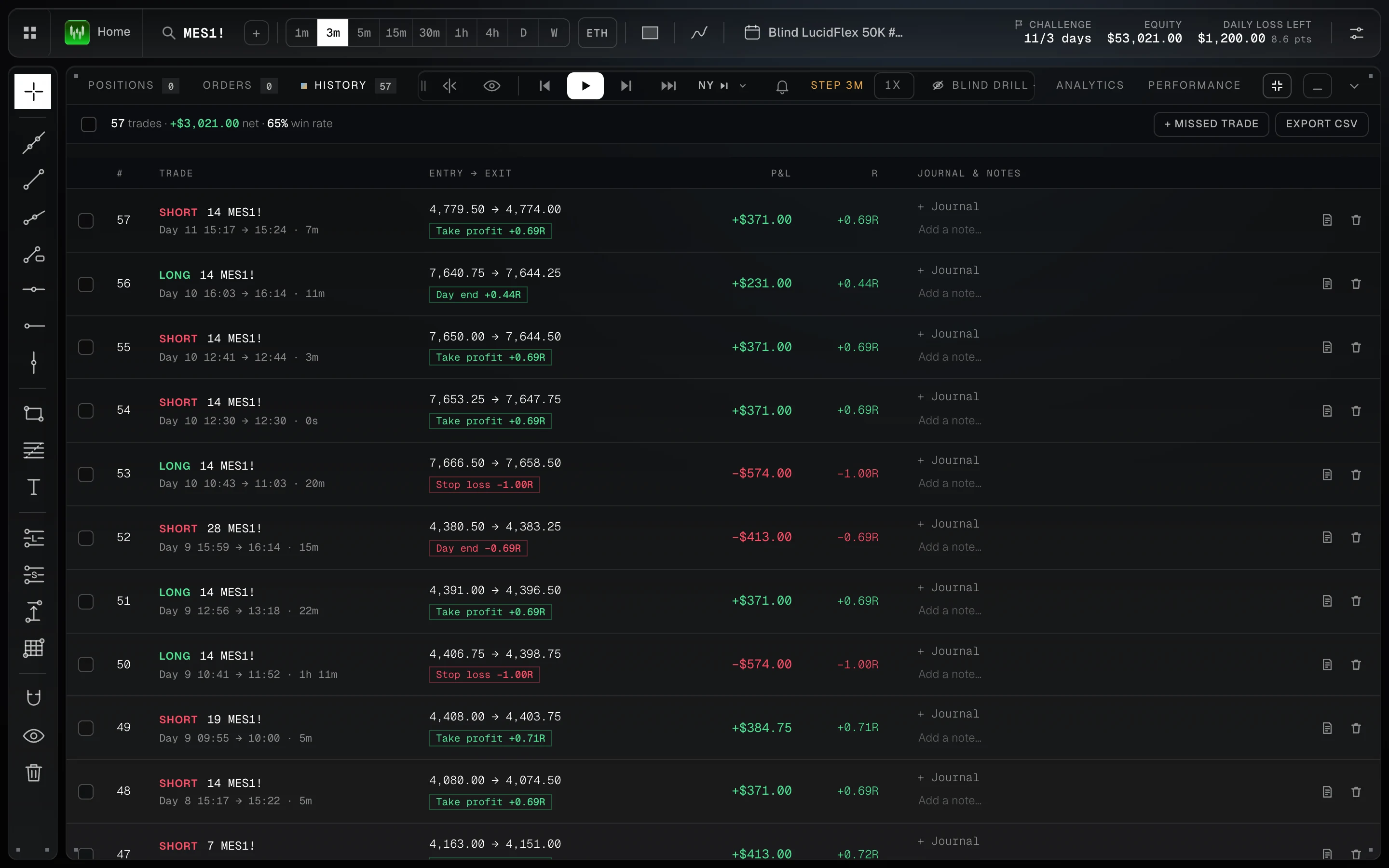
Every trade, with why it closed
Side, size, entry and exit, how long it was held, whether it hit the target, the stop or the day’s end, P&L and R, with a journal note for each.
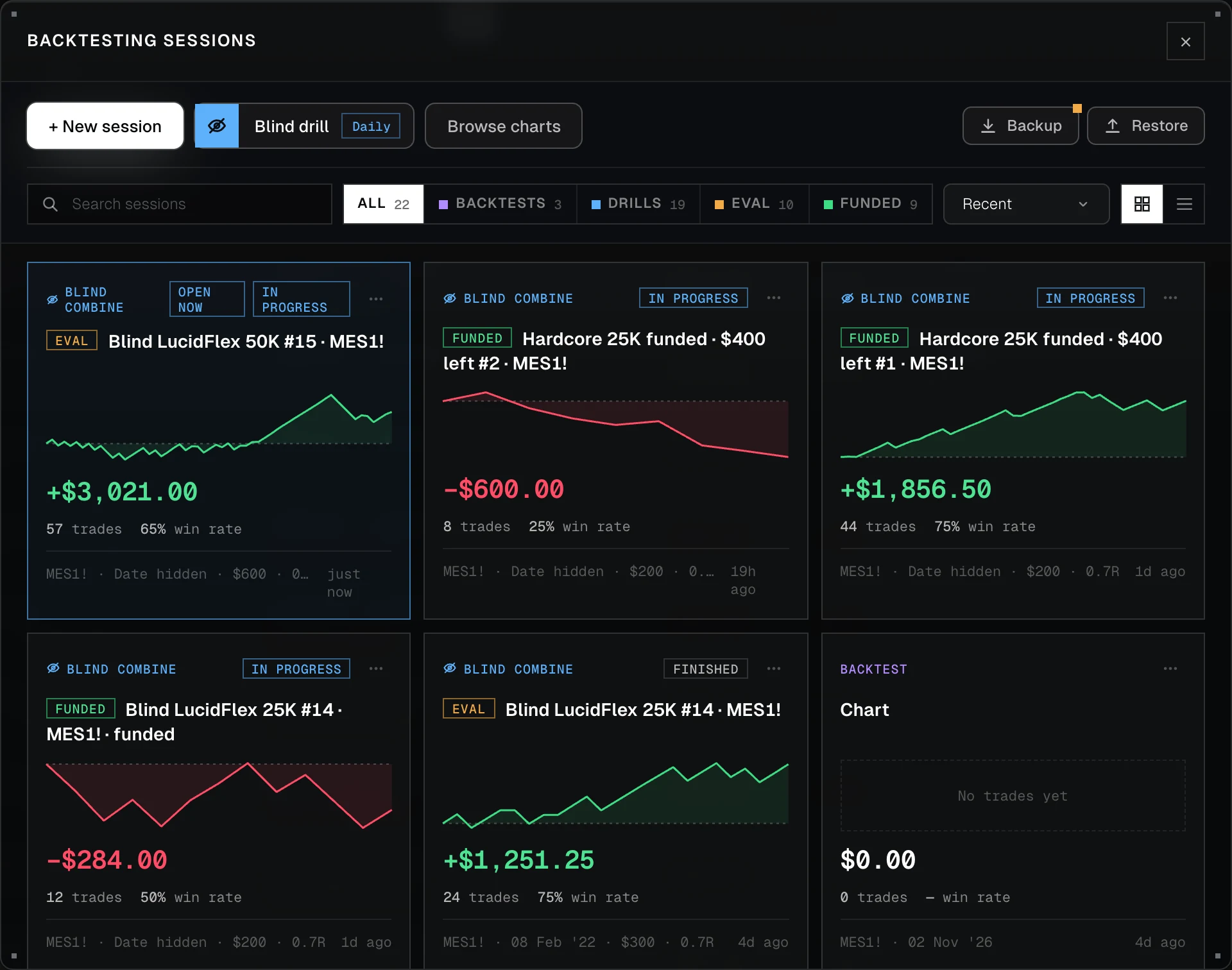
Every backtest, drill and challenge, kept
Filter by backtests, blind drills, evaluations and funded accounts, and see each one’s result and equity at a glance. Back up all of them to one file.
Honest fills. Results you can compare.
Every practice trade is journaled, so replay feeds the same analytics as your live trading.
Slippage, gaps and finer bars
Finer bars decide which of your stop and target was hit first, and gaps and slippage are filled the way the market moved.
Open any past trade
Pick a trade from a past session and the chart jumps to it, with its entry, stop and target and what price did next.
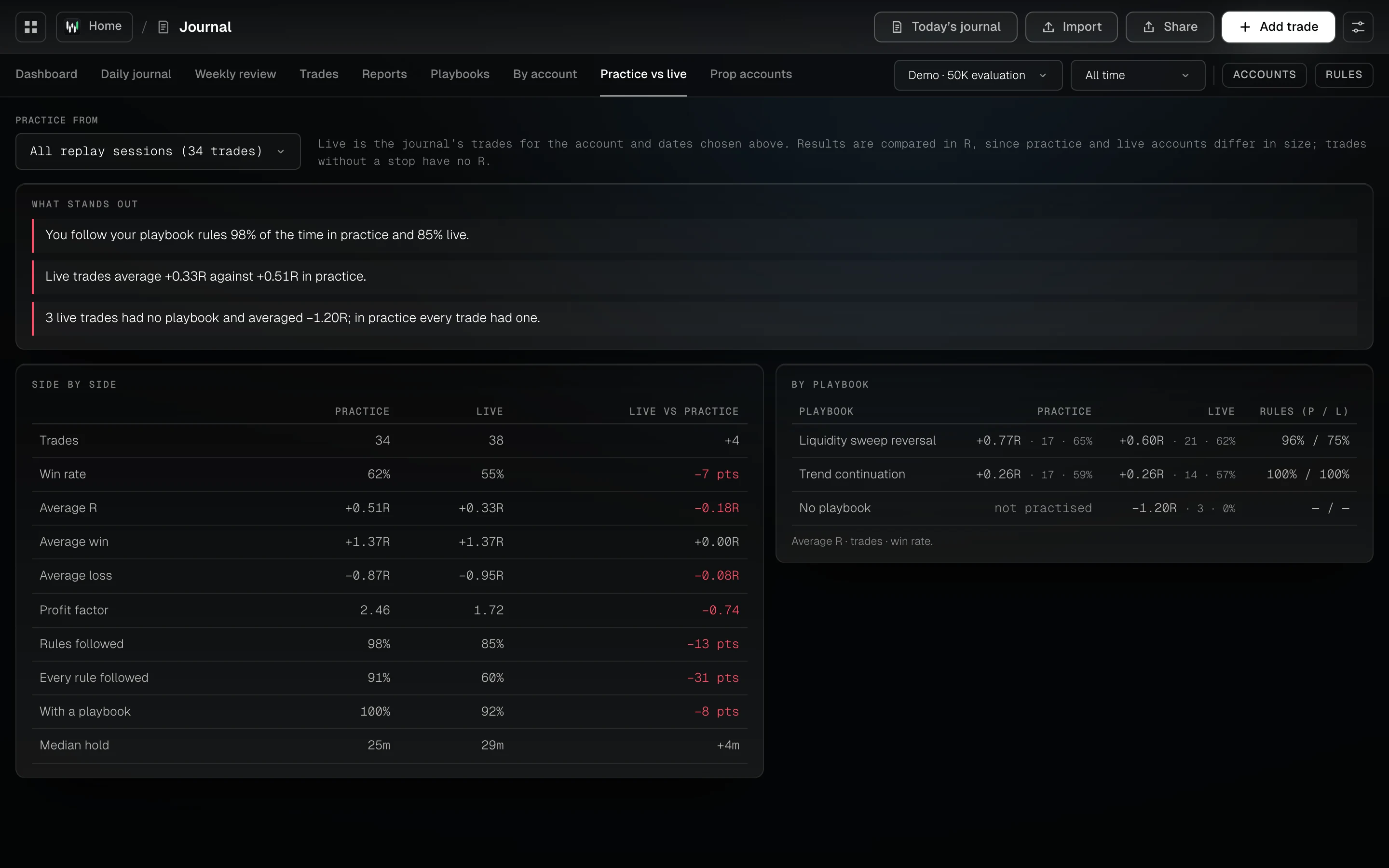
Check that practice is how you trade
Three steps to start.
Bring your bars
Import a CSV of price bars for any market, or open the demo market. Your bars stay in your browser.
Pick how to practise
A blind drill on one random day, a whole evaluation over random dates, a funded account, or free replay.
Compare practice with live
Every practice trade is journaled. Put practice next to your live results.
Short answers, straight from the app.
What is bar replay backtesting?
Bar replay plays price one bar at a time with the future hidden, so you decide as you would live instead of reading a finished chart. See What is backtesting?
Can I practise a prop evaluation before paying for one?
Yes. Challenge mode replays sessions under a firm’s rules: target, trailing max loss, daily loss limit and consistency. Hit the max loss and the account fails, as it would for real.
Where does the market data come from?
From you. Wickform supplies no market data. Import a CSV from your data provider or platform; it stays in your browser, for your own use.
Guides, tools and terms that go with it.
Good to know.
Which markets can I backtest?
Any market you have bars for: futures, forex, crypto or stocks. Import a CSV of bars and Wickform replays it in your browser.
How does challenge mode work?
Rewind 3 candles at most and no deleting trades, a breach flattens at the limit price, the balance and rules lock at the start, and you get a result card at the end.
Can I review the performance of a backtesting session?
Yes. Every session has a Performance tab (balance against the trailing max loss and daily limit, the challenge’s progress and consistency, a calendar of each day and the equity curve), an Analytics tab (results by session, hour, playbook and exit, an MAE / MFE map and an exit optimizer) and its full trade history.
What is a blind drill?
One random day with the date hidden. Trade the session you pick and get a score in R. One a day keeps your streak going.
Is backtesting included in the free plan?
The free plan includes 2 replay sessions and the daily blind drill. Pro and Pro+ include more.
Can I replay a trade from my journal?
Yes. “Replay this trade” opens a practice session an hour before the trade’s entry, on your own bars.